Parameter versus Parameter
The datasets that can be plotted are given in Datasets.
Commandline
Single Parameter versus parameter plots can be created using plot_param_vs_param.
This can be run from the command line with:
python plot_param_vs_param.py
Figures with multiple panels showing specific sets of plots can be created using:
python plot_many param_vs_param.py
Options can be determined by appending --help to the call.
Example commandline calls using one or the other of these scripts are given below with the code examples.
Code
Example 1
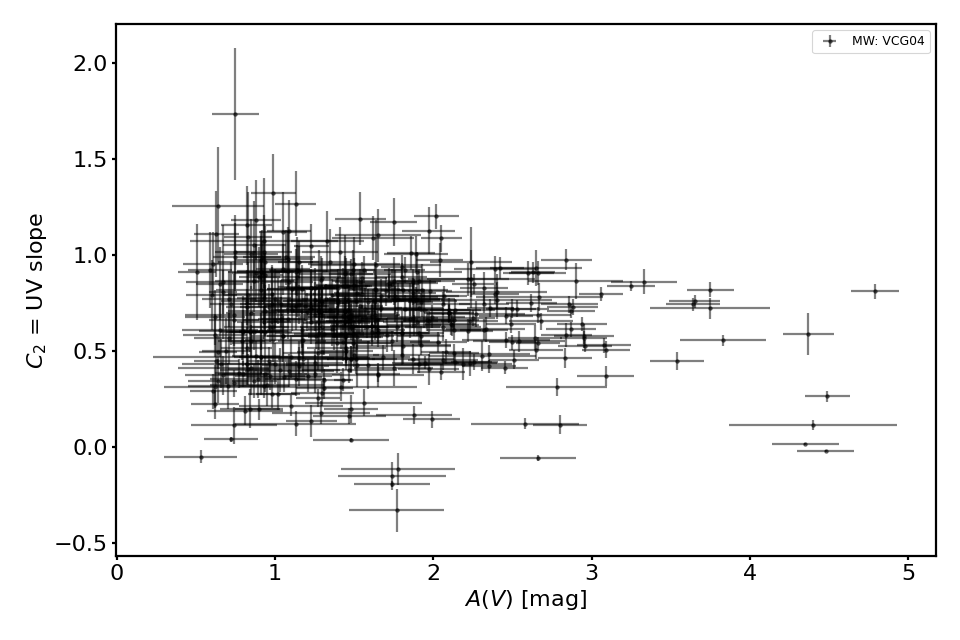
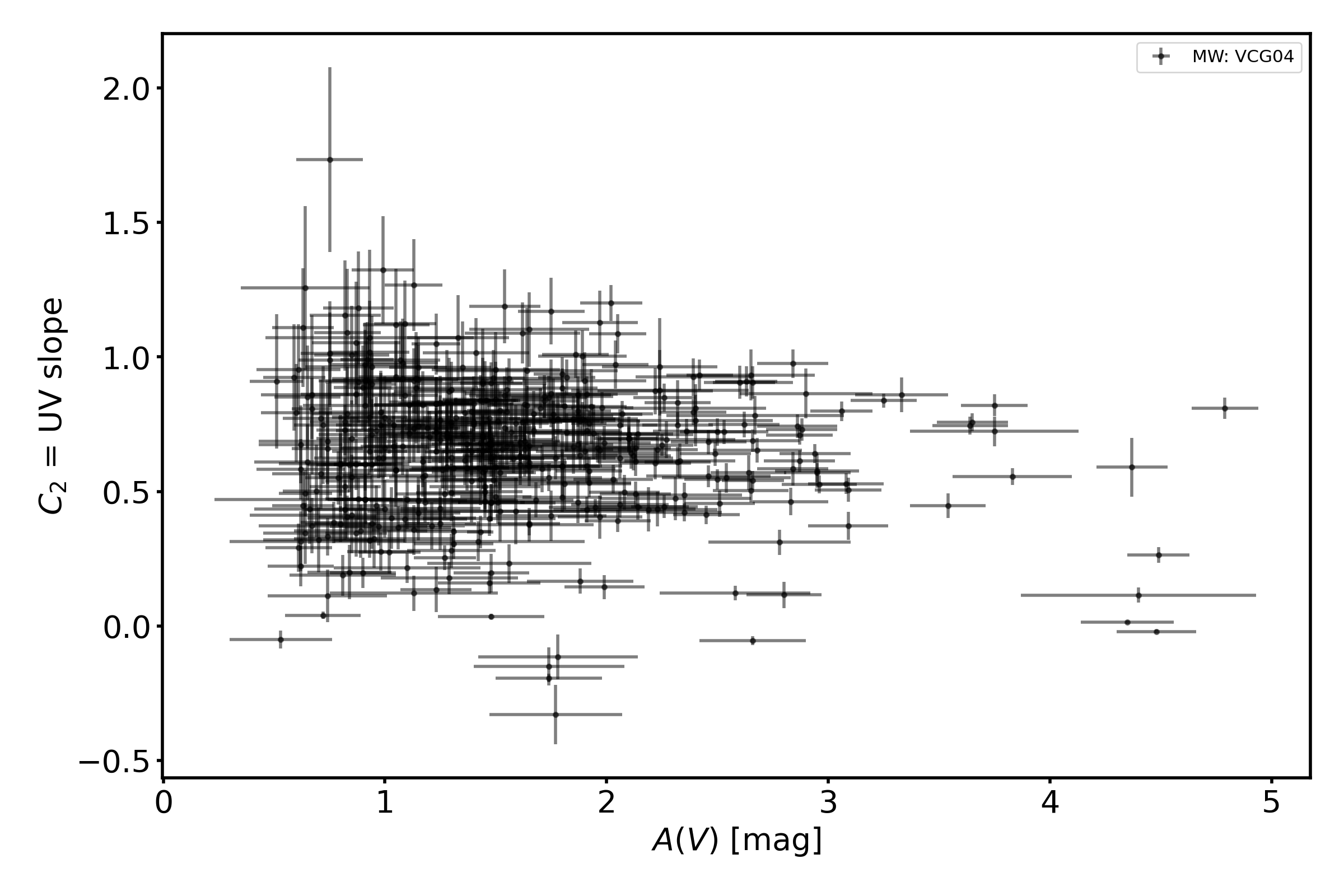
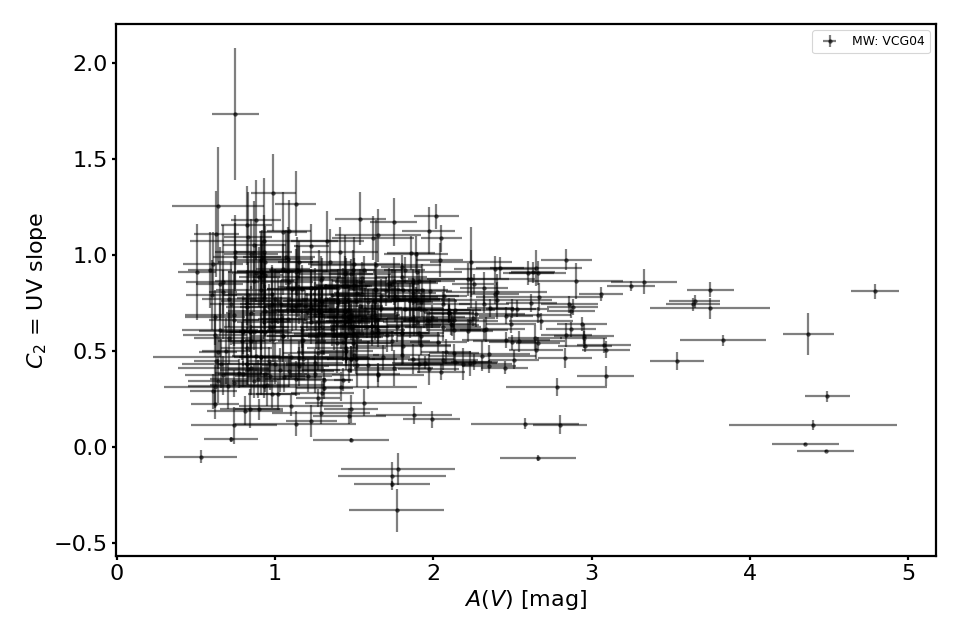
This shows an example for the VCG04 sample of Milky Way sightlines giving A(V) versus the FM90 parameter C2.
import matplotlib.pyplot as plt
from extinction_ensemble_props.plot_param_vs_param import plot_param_vs_param

fontsize = 20
font = {"size": fontsize}
plt.rc("font", **font)
plt.rc("lines", linewidth=2)
plt.rc("axes", linewidth=2)
plt.rc("xtick.major", width=2)
plt.rc("ytick.major", width=2)

fsize = (12, 8)
fig, ax = plt.subplots(figsize=fsize)

plot_param_vs_param(ax, ["VCG04"], "AV", "C2")

fig.tight_layout()
plt.show()
(Source code, png, hires.png, pdf)
The equivalent commandline call is:
python extinction_ensemble_props/plot_param_vs_param.py --datasets VCG04 --xparam AV --yparam C2
Example 2
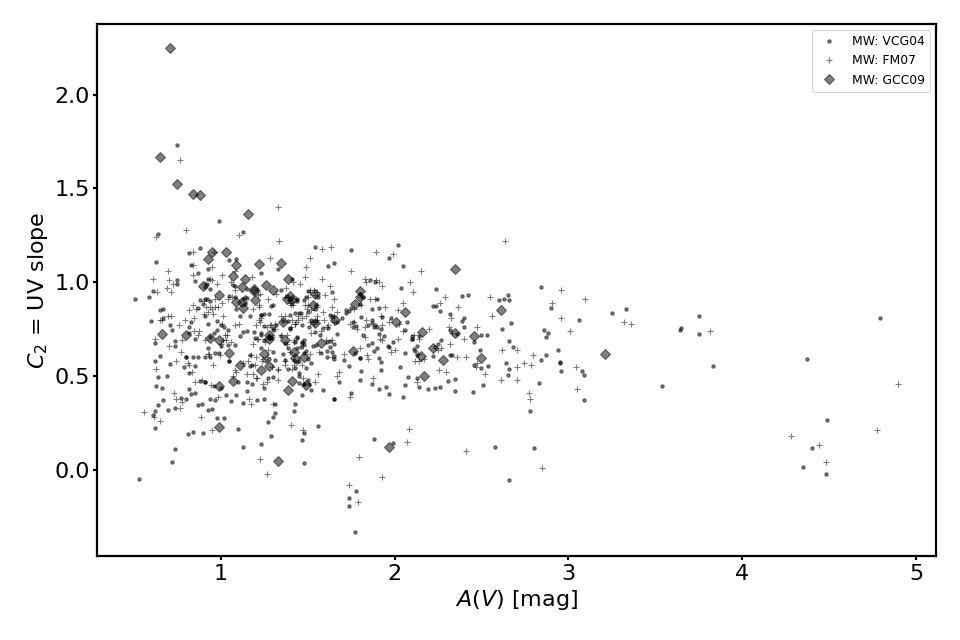
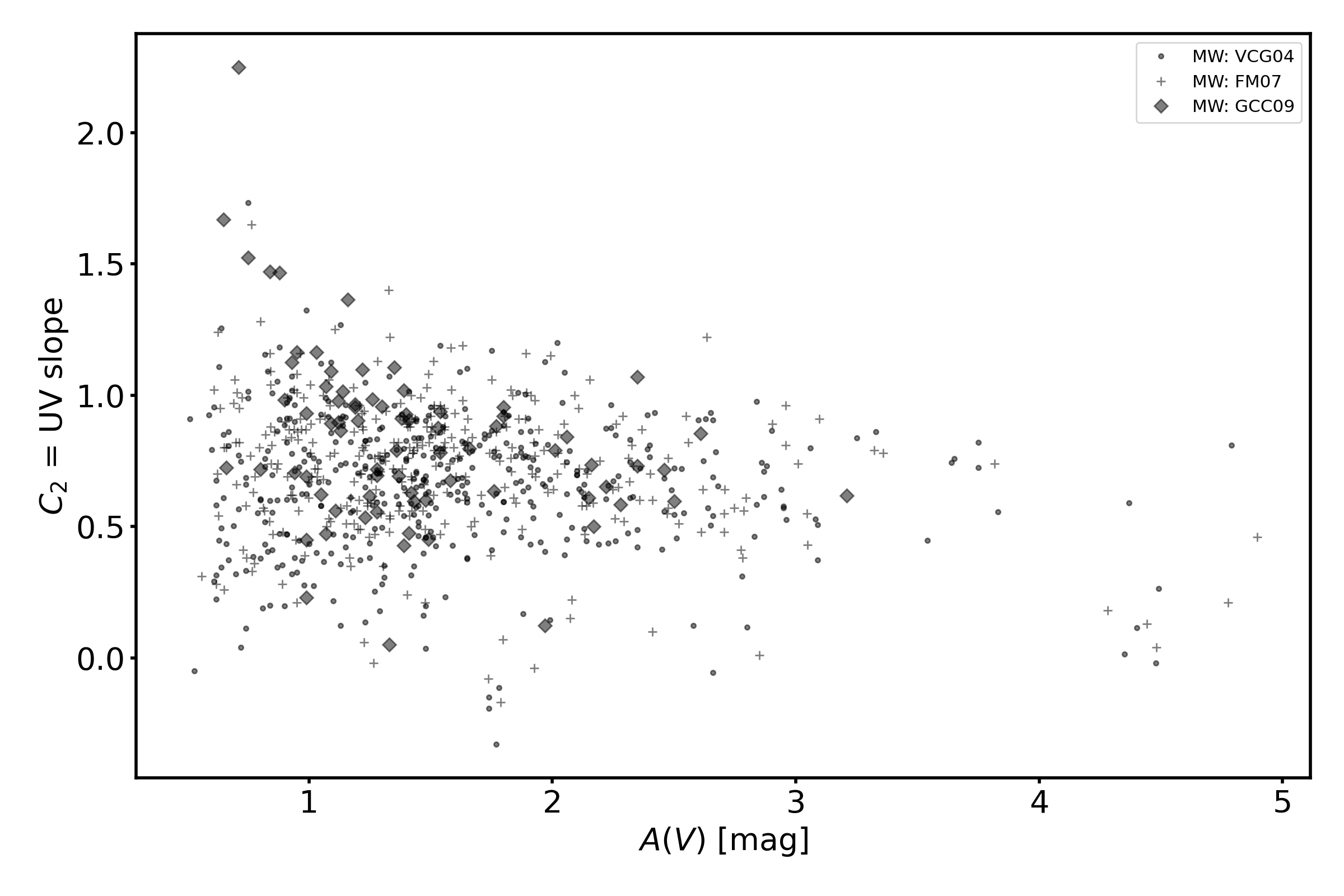
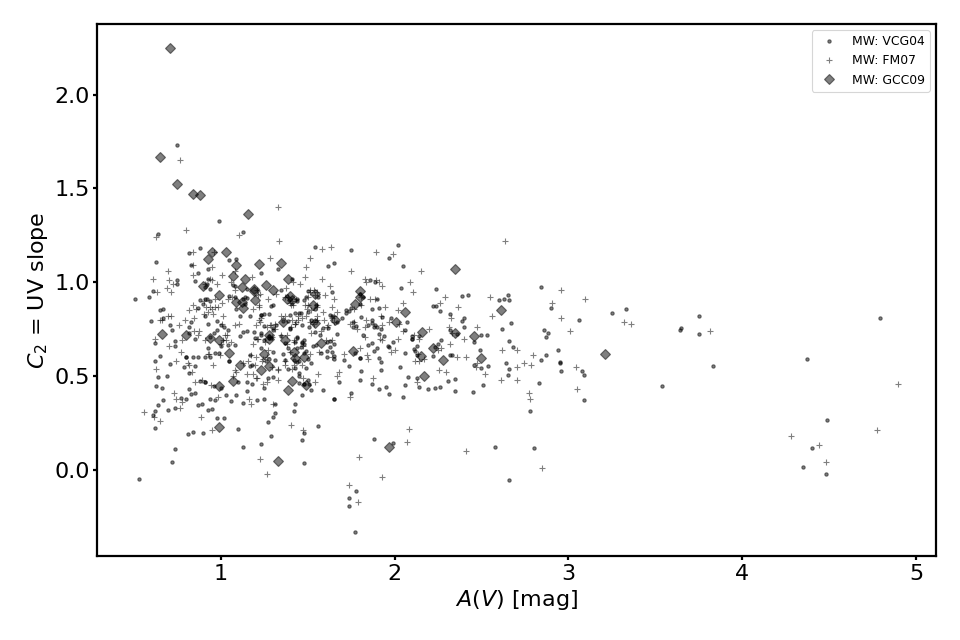
This shows an example for the VCG04, FM07, and GCC09 sample of Milky Way sightlines giving A(V) versus the FM90 parameter C2. In this case, error bars are not plotted given the large number of points.
import matplotlib.pyplot as plt
from extinction_ensemble_props.plot_param_vs_param import plot_param_vs_param

fontsize = 20
font = {"size": fontsize}
plt.rc("font", **font)
plt.rc("lines", linewidth=2)
plt.rc("axes", linewidth=2)
plt.rc("xtick.major", width=2)
plt.rc("ytick.major", width=2)

fsize = (12, 8)
fig, ax = plt.subplots(figsize=fsize)

plot_param_vs_param(ax, ["VCG04", "FM07", "GCC09"], "AV", "C2", nouncs=True)

fig.tight_layout()
plt.show()
(Source code, png, hires.png, pdf)
The equivalent commandline call is:
python extinction_ensemble_props/plot_param_vs_param.py --datasets VCG04 FM07 GCC09 --xparam AV --yparam C2 --nouncs
Example 3
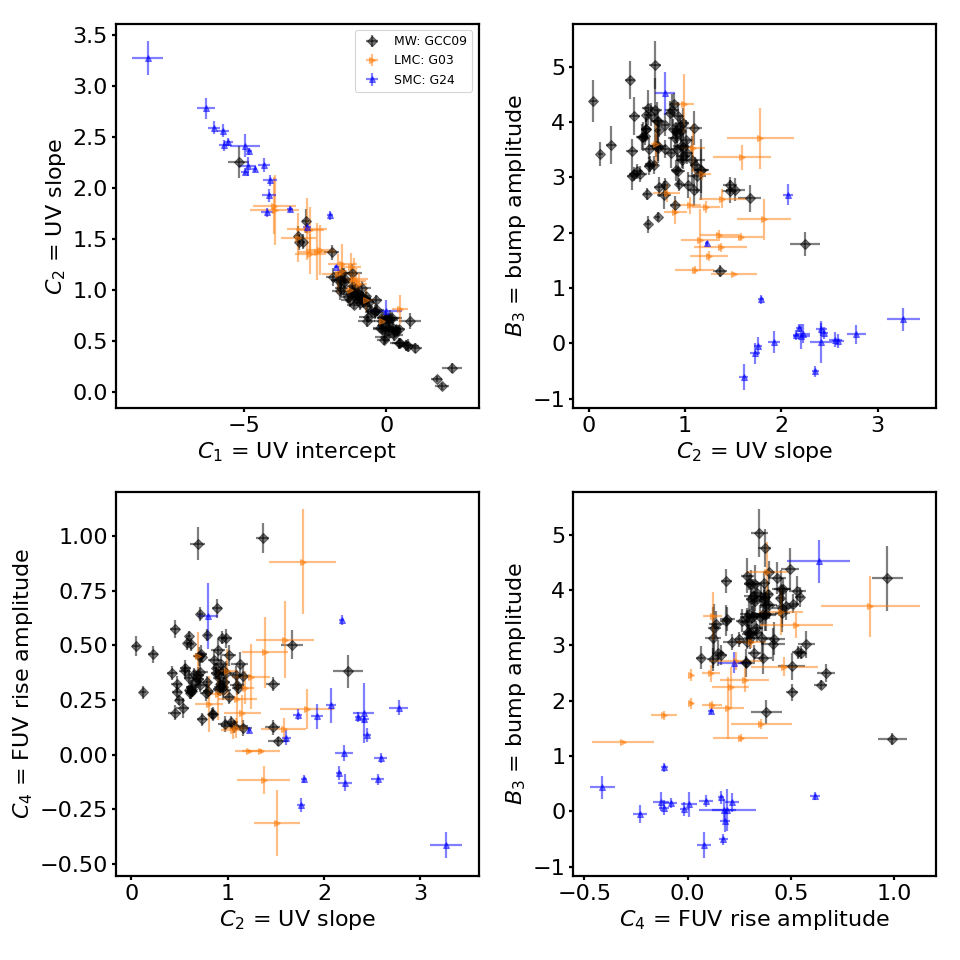
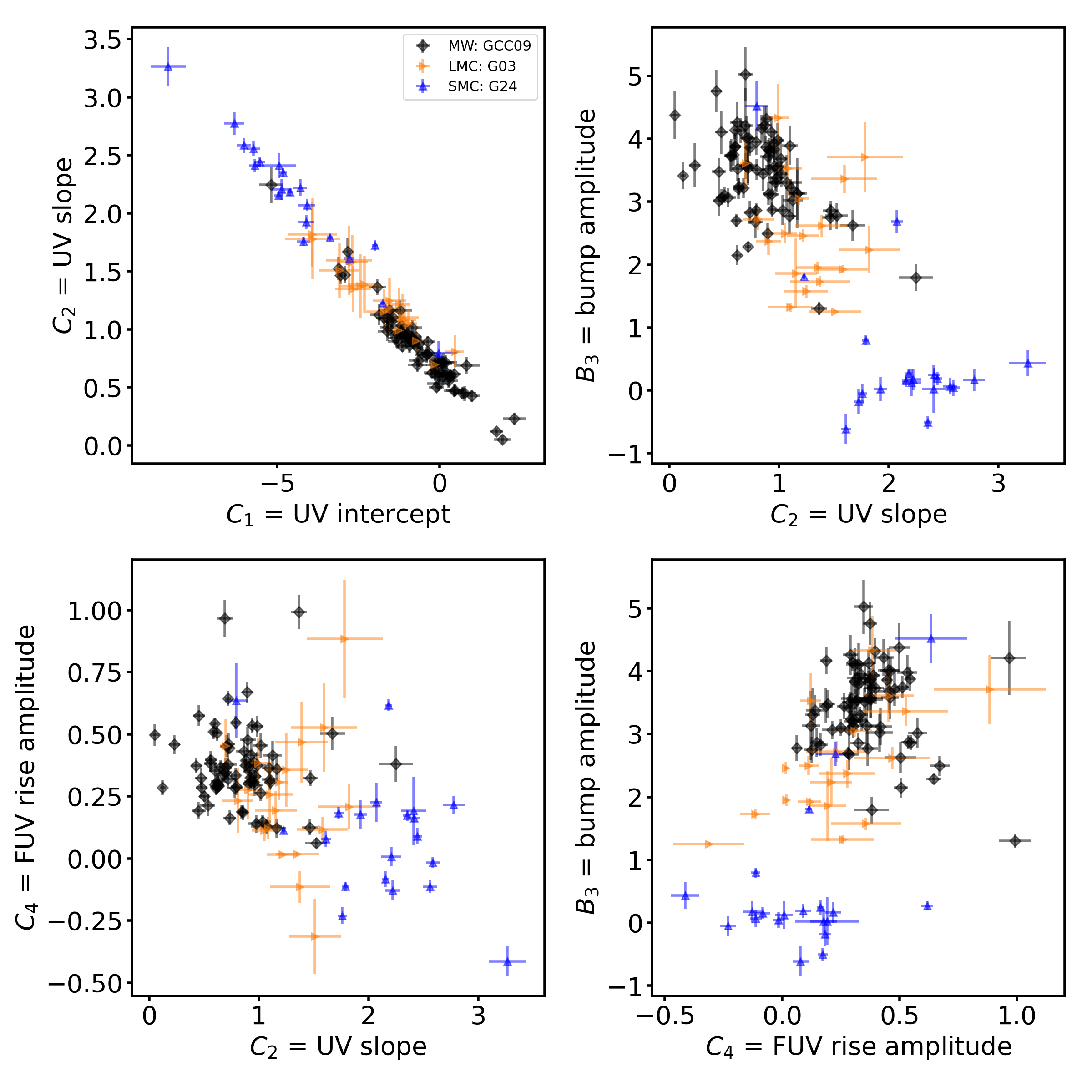
This shows how to make a set of plots showing how the FM90 parameters correlate with each others. One dataset from the Milky Way (GCC09), LMC (G03_lmc), and SMC (G24_smc) are used.
import matplotlib.pyplot as plt
from extinction_ensemble_props.plot_param_vs_param import plot_param_vs_param

fontsize = 20
font = {"size": fontsize}
plt.rc("font", **font)
plt.rc("lines", linewidth=2)
plt.rc("axes", linewidth=2)
plt.rc("xtick.major", width=2)
plt.rc("ytick.major", width=2)

fsize = (12, 12)
fig, ax = plt.subplots(nrows=2, ncols=2, figsize=fsize)

datasets = ["GCC09", "G03_lmc", "G24_smc"]
plot_param_vs_param(ax[0, 0], datasets, "C1", "C2")
plot_param_vs_param(ax[0, 1], datasets, "C2", "B3")
plot_param_vs_param(ax[1, 0], datasets, "C2", "C4")
plot_param_vs_param(ax[1, 1], datasets, "C4", "B3")

ax[0, 1].get_legend().remove()
ax[1, 0].get_legend().remove()
ax[1, 1].get_legend().remove()

fig.tight_layout()
plt.show()
(Source code, png, hires.png, pdf)
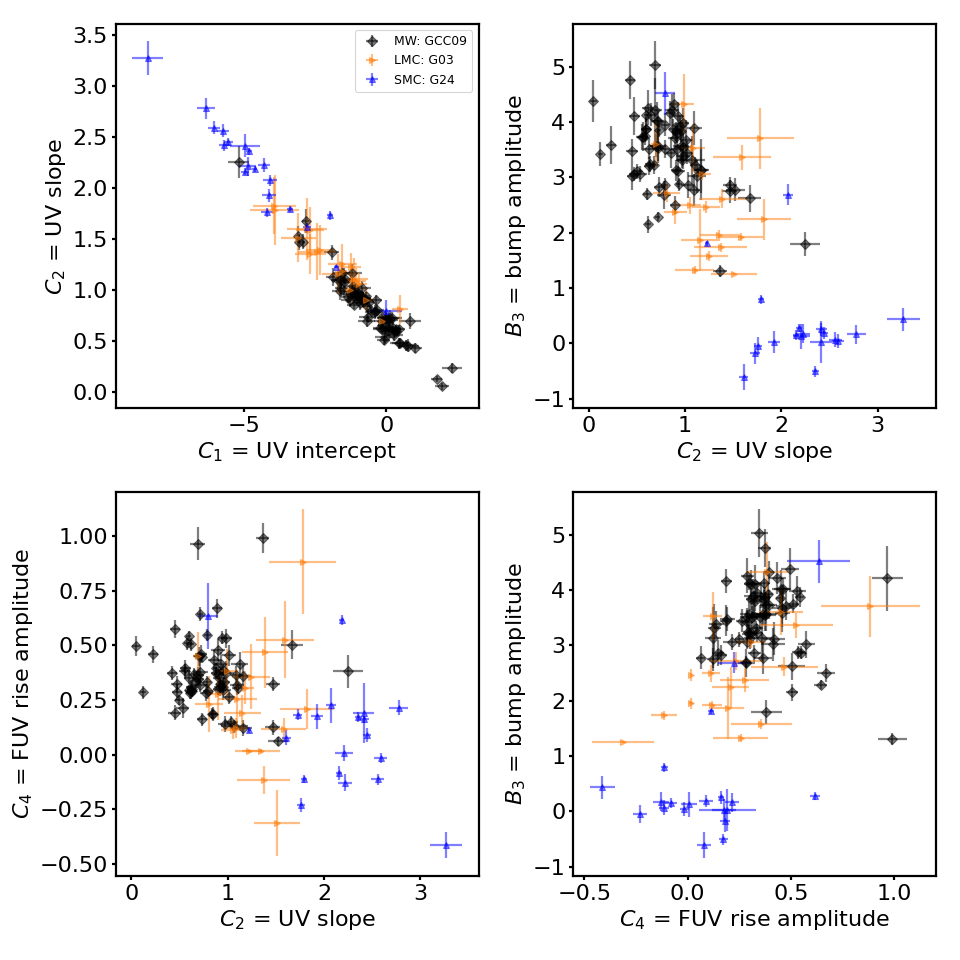
The equivalent commandline call is:
python extinction_ensemble_props/plot_many_param_vs_param.py --datasets GCC09 G03_lmc G24_smc --fm90main